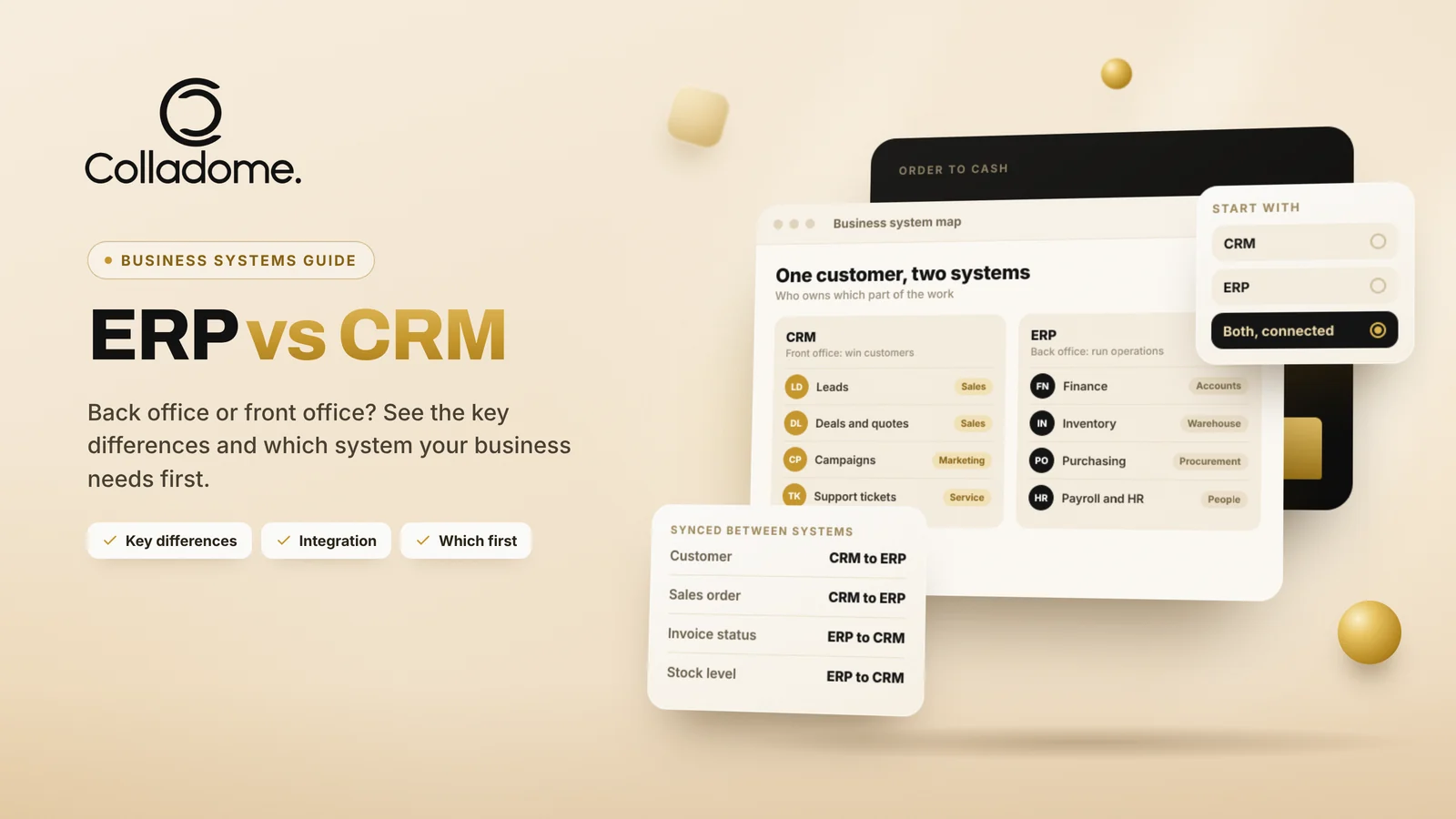

The short answer to ERP vs CRM is this: ERP runs the inside of your business, while CRM runs your relationships with customers. ERP connects finance, inventory, purchasing, production and HR. CRM manages leads, sales, service and marketing. Most growing companies need both, and they work best when they share data.
Key takeaways
- ERP (enterprise resource planning) manages back-office operations such as finance, inventory, purchasing and HR.
- CRM (customer relationship management) manages front-office work such as leads, deals, support tickets and campaigns.
- ERP is built to cut costs and errors, while CRM is built to win and keep customers.
- Many businesses start with CRM for sales growth, then add ERP once orders, stock and accounts get complex.
- Connecting ERP and CRM gives sales, finance and operations one shared view of every customer and order.
This guide explains what each system does, compares them side by side and shows which one to choose first. It also covers integration, build options and cost drivers. Finally, it explains how Colladome designs and builds ERP and CRM software for businesses in India, the UAE, the USA and the UK.
What Is the Difference Between ERP and CRM?
The main difference between ERP and CRM is the area of the business they serve. ERP handles internal operations and resources, such as money, stock, people and production. CRM handles everything that touches a customer, from the first enquiry to repeat sales and support. In short, ERP is about efficiency and CRM is about revenue.
For example, think of a simple order. First, a sales rep tracks the lead and the quote in the CRM. Then, once the customer signs, the ERP takes over. It checks stock, raises the invoice, updates the ledger and plans the delivery.
So both systems touch the same customer. However, they look at that customer from different sides. That is why the ERP vs CRM question is rarely “either or” for long.
What Is ERP Software?
ERP software is a central system that connects the core operations of a business in one database. It usually covers accounting, inventory, procurement, manufacturing, supply chain, payroll and HR. Because every team works from the same records, ERP removes duplicate data entry and gives leaders a real-time view of costs and stock.
In addition, typical ERP modules include:
- Finance and accounting, including the general ledger, invoices and tax
- Inventory and warehouse management
- Purchasing and vendor management
- Production planning and quality control
- HR, attendance and payroll
- Reports and dashboards for management
For a deeper look at modules, benefits and pricing, read our guide on what ERP software development is and what it costs.
What Is CRM Software?
CRM software is a system that stores every interaction a business has with its leads and customers. It tracks contacts, deals, calls, emails, quotes and support tickets in one place. As a result, sales, marketing and service teams can follow up on time, forecast revenue and give each customer a consistent experience.
Similarly, common CRM features include:
- Lead capture from forms, ads, WhatsApp and calls
- Sales pipelines, deal stages and follow-up reminders
- Quotes and proposals
- Customer support tickets and service history
- Email and campaign automation
- Sales reports and forecasts
To see how a tailored system pays off, explore the benefits of CRM software development.
ERP vs CRM: Side-by-Side Comparison
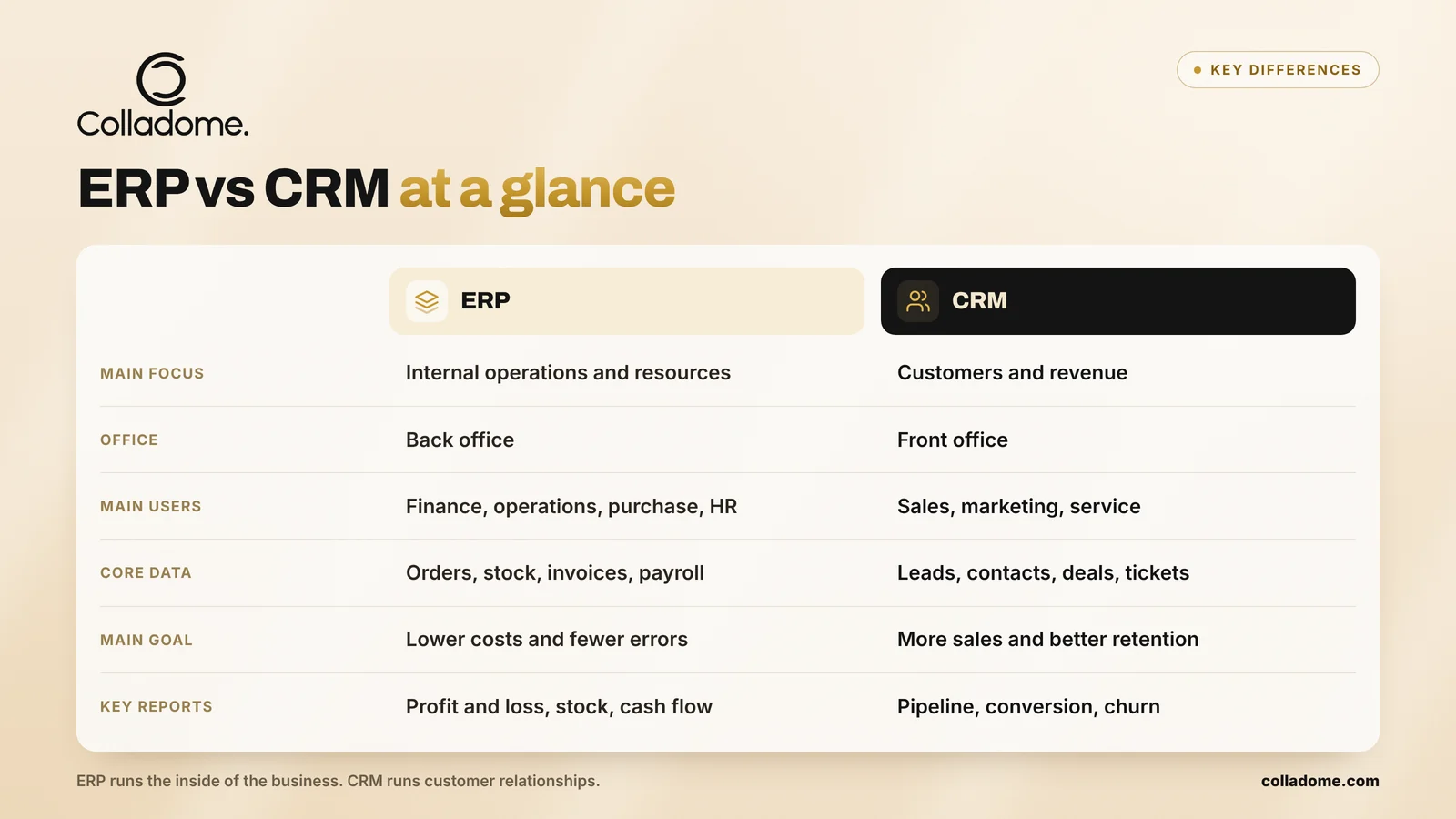
An ERP vs CRM comparison shows two systems with different users, data and goals. ERP serves finance, operations and supply chain teams with transaction data. CRM serves sales, marketing and service teams with customer data. The table below sums up the key differences so you can see where each one fits.
| Factor | ERP | CRM |
|---|---|---|
| Main focus | Internal operations and resources | Customers and revenue |
| Office | Back office | Front office |
| Main users | Finance, operations, purchase, HR | Sales, marketing, customer service |
| Core data | Orders, stock, invoices, payroll, costs | Leads, contacts, deals, tickets |
| Main goal | Lower costs, fewer errors, better control | More sales, better retention |
| Key reports | Profit and loss, stock levels, cash flow | Pipeline value, conversion, churn |
| Rollout effort | Larger, touches many departments | Usually faster, starts with one team |
In other words, the two systems answer different questions. ERP tells you what it costs to deliver. CRM tells you who is likely to buy next.
Which Teams Use ERP and Which Use CRM?
ERP is used mainly by finance, accounts, procurement, warehouse, production and HR teams. CRM is used mainly by sales reps, sales managers, marketers and support agents. Leadership uses both. For example, a CEO checks the sales forecast in the CRM and the cash position in the ERP before making a decision.
Some roles also sit in the middle. For instance, order desk staff and account managers often need both views. They need customer history from the CRM and stock or credit limits from the ERP. This is exactly where integration starts to matter.
ERP vs CRM: Which Does Your Business Need First?
Choose CRM first if your main problem is lost leads, slow follow-ups or no sales visibility. Choose ERP first if your main problem is stock errors, billing delays or messy accounts. If both problems hurt at once, plan both systems together and roll them out in phases, starting with the area that costs you most.
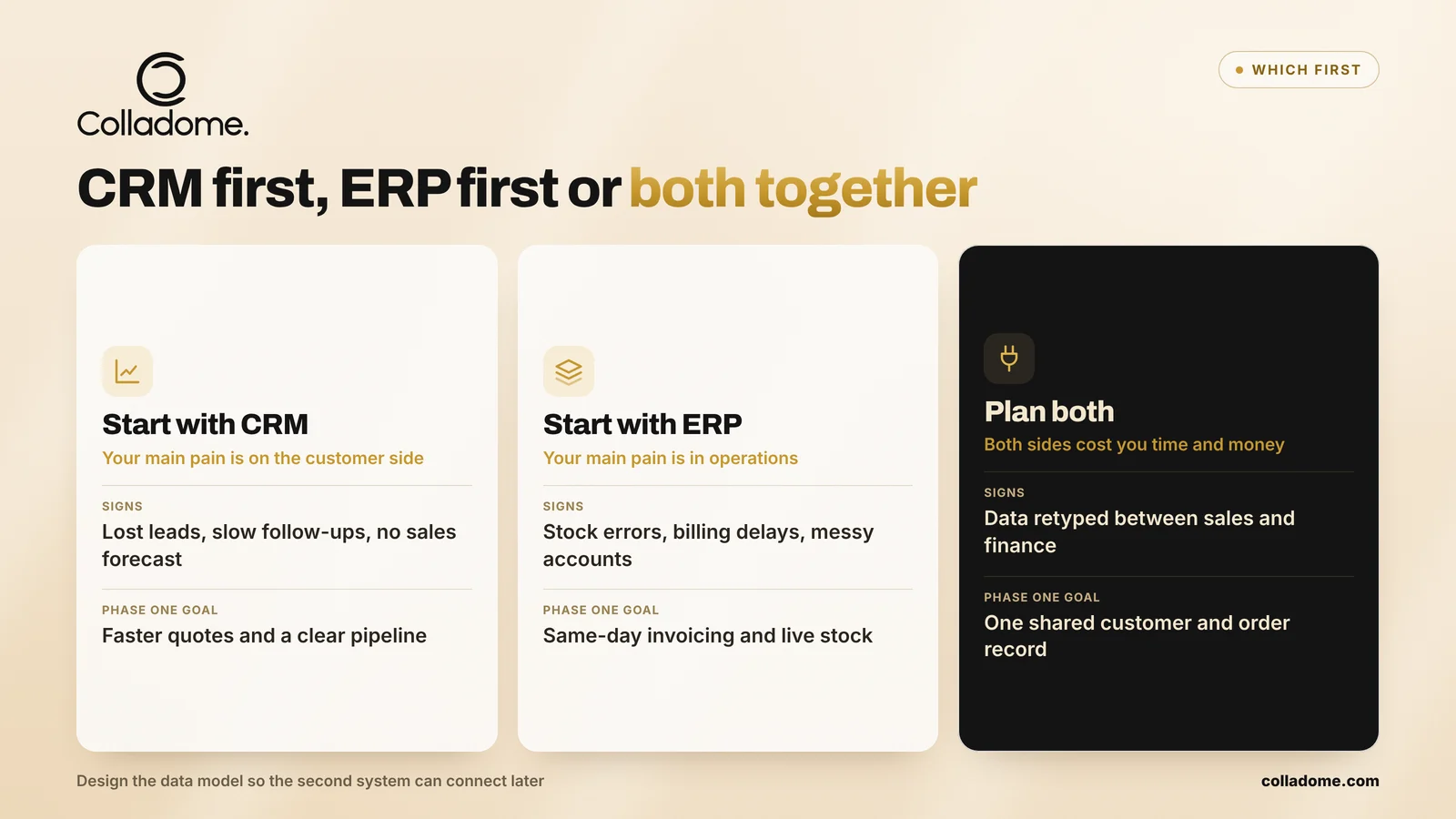
Use this short checklist to decide:
- List the three problems that cost you the most money or time today.
- Mark each one as a customer problem or an operations problem.
- Count which side has more marks and higher costs.
- Start with that system, but design the data model so the other can connect later.
- Set a clear goal for phase one, such as faster quotes or same-day invoicing.
Not sure where to start? Talk to Colladome’s team for a short discovery call. We will map your processes and suggest the right first step.
Can ERP and CRM Work Together?
Yes, ERP and CRM work best together. When they are connected, a closed deal in the CRM creates a sales order in the ERP automatically. In turn, the ERP sends invoice, payment and delivery status back to the CRM. Therefore, sales sees the full customer picture and finance gets clean orders without retyping.
Without integration, teams usually copy data by hand or by spreadsheet. As a result, errors creep in and nobody trusts the numbers. In contrast, an integrated setup gives one version of the truth across the company.
For example, some vendors sell a single suite that includes both. Others connect a separate ERP and CRM through APIs. Either way, the goal is the same: shared customer and order data.
How Does ERP and CRM Integration Work?
ERP and CRM integration links the two systems through APIs or middleware so data moves automatically. Customer records, products, prices, orders, invoices and payment status sync on a schedule or in real time. A good integration also sets which system owns each field, so records never conflict or overwrite each other.
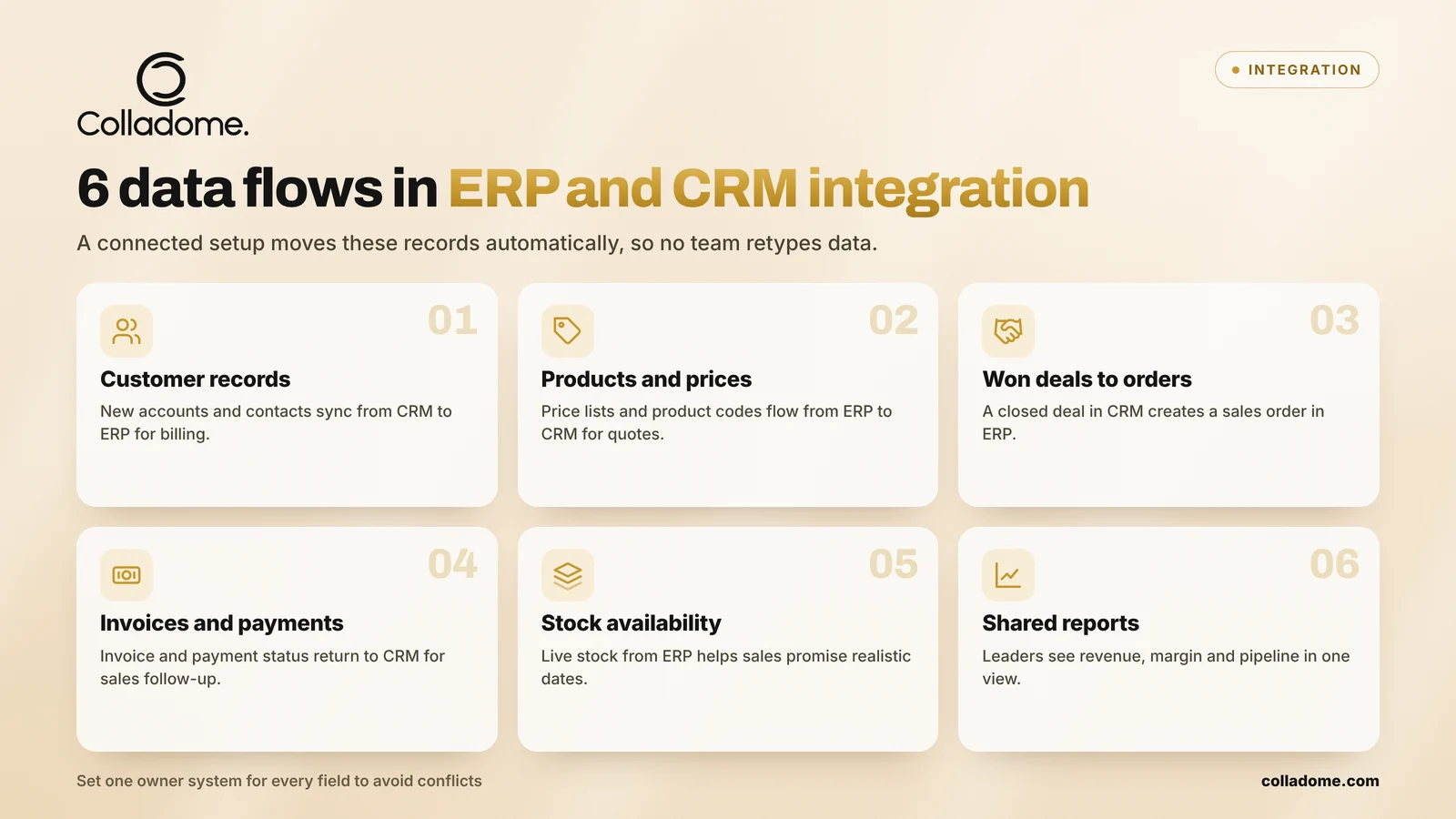
A typical integration project follows these steps:
- Map the data: list every field both systems need and choose the owner of each.
- Clean the records: remove duplicate customers and fix product codes.
- Pick the method: direct APIs, a middleware layer or a custom connector.
- Build and test the sync on sample data first.
- Go live in stages, then monitor errors and sync times.
Above all, testing matters here. That is why our QA testing services check every sync rule before real orders flow through it.
Off-the-Shelf or Custom: ERP vs CRM Build Options
You can buy a ready-made ERP or CRM, customise one, or build your own. Ready-made tools are faster to start and suit standard processes. Custom software costs more upfront but fits unique workflows, avoids per-user licence fees and connects cleanly to your other systems. Many firms mix both, such as a SaaS CRM with a custom ERP.
A custom build makes sense when:
- Your process is a real competitive advantage, such as special pricing or production rules.
- Licence costs grow fast as your team grows.
- Ready-made tools force your team into workarounds and spreadsheets.
- You need deep links with legacy software, machines or industry portals.
For a wider view of this choice, compare custom software vs off-the-shelf solutions. If you need help judging vendors, our guide on how to choose a software consulting company lists the questions to ask.
What Affects ERP vs CRM Cost?
ERP and CRM cost depends on the number of modules, users, integrations, data migration and the build approach. ERP projects usually cost more than CRM because they touch more departments and need careful migration of financial and stock data. CRM projects are often smaller and faster, especially when they start with one sales team.
The main cost drivers are:
- Scope: the number of modules, screens and workflows.
- Users and roles: more roles mean more permissions and testing.
- Integrations: payment gateways, accounting tools, e-commerce and WhatsApp.
- Data migration: moving years of records from old systems or spreadsheets.
- Training and support: adoption depends on good onboarding.
For a full breakdown of pricing models, see our guide to custom software development cost.
How Colladome Can Help
Colladome helps businesses plan, build and connect ERP and CRM systems that fit the way they actually work. We start with discovery, map your processes and data, then recommend whether to buy, customise or build. After that, our team designs, develops, tests and supports the system, so you work with one accountable partner.
In short, here is what you get with Colladome:
- Custom ERP software development services for finance, inventory, production and HR
- Tailored CRM software development services for leads, sales and support
- ERP and CRM integration with your existing tools
- Experience across 500+ projects in 25+ industries
- ISO 9001 and CMMI Level 3 certified delivery
- Teams in Jaipur, Hyderabad, Dubai and Portland, USA
Still comparing vendors? Read how to pick the best ERP software development company before you decide.
Final Thoughts on ERP vs CRM
The ERP vs CRM choice comes down to where your biggest problem sits today. CRM grows and protects revenue. ERP controls costs and operations. In the long run, most businesses benefit from both, connected so every team sees the same customer and order data.
Ready to plan your ERP, CRM or both? Contact Colladome today for a free consultation. Our team will review your processes and share a clear roadmap, timeline and budget range.
To learn more about the categories, see this overview from IBM on ERP versus CRM.
Frequently Asked Questions
What is the main difference between ERP and CRM?
The main difference is the area each system serves. ERP manages internal operations such as finance, inventory, purchasing and HR. CRM manages customer-facing work such as leads, sales, marketing and support. In short, ERP helps you run the business efficiently, while CRM helps you win and keep customers.
Is CRM part of ERP?
Not always. Some ERP suites include a CRM module, but most CRM tools are separate products built for sales and service teams. Many businesses use a standalone CRM and connect it to their ERP through APIs, so customer, order and invoice data stays in sync without manual entry.
Which is better for a small business, ERP or CRM?
For most small businesses, CRM comes first because it directly supports sales growth and follow-ups. ERP becomes important once orders, stock and accounts get complex. A good plan is to start with CRM, keep data clean, and add ERP later. See our guide to CRM software development benefits.
Can ERP and CRM be integrated?
Yes. ERP and CRM can be integrated through APIs, middleware or a custom connector. A won deal in the CRM then creates a sales order in the ERP, and invoice and payment status flow back to sales. Colladome builds these integrations as part of its ERP software development services.
What are examples of ERP and CRM software?
Well-known ERP examples include SAP, Oracle NetSuite, Microsoft Dynamics 365 and Odoo. Popular CRM examples include Salesforce, HubSpot and Zoho CRM. Many businesses also build custom ERP or CRM software when ready-made tools do not fit their workflows or become too expensive as the team grows.
Is ERP more expensive than CRM?
Usually, yes. ERP projects tend to cost more because they cover more departments, need more modules and require careful migration of financial and stock data. CRM projects are often smaller and faster to roll out. Actual cost depends on scope, users and integrations, as explained in our custom software development cost guide.
Who uses ERP and who uses CRM in a company?
ERP is used mainly by finance, accounts, procurement, warehouse, production and HR teams. CRM is used mainly by sales, marketing and customer service teams. Leaders and account managers often use both, because they need customer history from the CRM alongside stock, credit and invoice details from the ERP.